




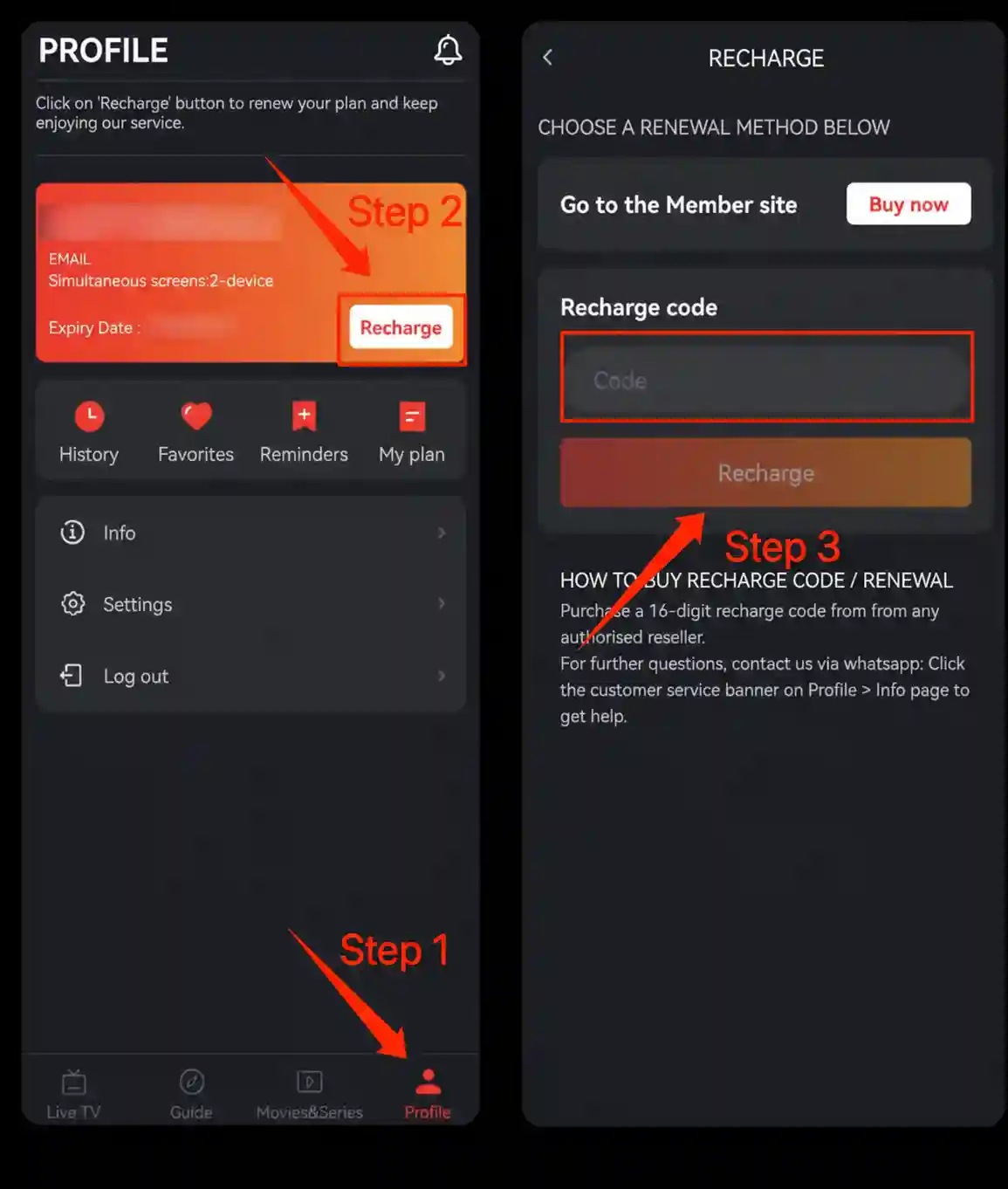
- Log in your WakaTV app on TV/Mobile first
- Step 1: Go to 'My account/Profile' page
- Step 2: Find 'Recharge' option
- Step 3: Enter recharge voucher and click 'Confirm/Recharge'

Access 220+ Live Channels & 80k+ Movies & Series
- Fast Activation with Secure Card Payment (Debit & Credit Accepted)
- Smooth Live Sports & Movies, Data-saving
- Start Your 7-Day Free Trial Today
Instant code delivery upon successful payment. Secure payment options available for South Africa.
Base price: $15 USD / month
Approx.R245/month
Base price: $40 USD / 6 months
Approx.R675/6 months
Base price: $80 USD / year
Approx.R1350/year
Need More Plan Details?
Compare plans, pricing, supported devices, payment methods, and FAQs.View Full Plan DetailsFollow these 3 simple steps to install Waka TV on your Android TV.

Install Downloader
Open Google Play Store on your Android TV and install the Downloader by AFTVnews app.
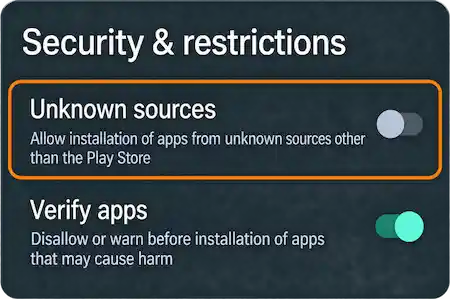
Allow Unknown Sources
Go to Settings > Security & Restrictions and allow app installation for Downloader.
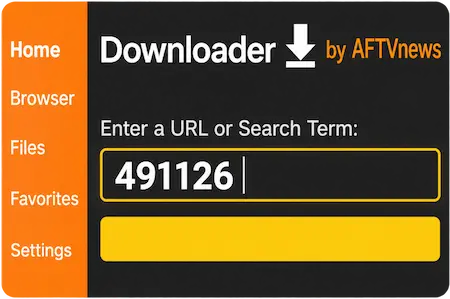
Enter Code 491126
Open Downloader, enter code 491126, and follow the prompts to install Waka TV.
Need Installation Help?
See the full download guide for Android Mobile, Android TV, TV Box, and TV Stick.View Full Download Guide
Select a Waka TV plan that suits your needs.

Pay securely using your preferred available payment method.

Get your recharge code by email after payment confirmation.
Have a question or want to become reseller?
Fill out the form right
We'll get back to you within 24 hours
Email: support@wakatvonline.co.za